Quick answer: Pick GST billing software that produces Sales and Purchase GST reports, tracks stock across warehouses, and can send bills or reminders over WhatsApp. A one-time purchase suits shops that want no monthly fee and full control of their data; a subscription suits shops that want zero setup.
One-Time Purchase vs Subscription
| One-time licence | Monthly subscription | |
|---|---|---|
| Cost pattern | Single payment | Recurring, forever |
| Data | On your own server | On the vendor’s cloud |
| If you stop paying | Keeps working | Access usually ends |
| Setup | Needs hosting | Sign up and go |
Why WhatsApp Integration Matters
Indian customers already live on WhatsApp. Sending the invoice, a payment reminder or an order update there gets read far faster than email. Look for software with a WhatsApp/SMS API integration and editable message templates, so your messages carry your shop’s name.
Reports a GST-Registered Shop Needs
- Sales GST and Purchase GST reports
- Sales tax and purchase tax reports
- Profit & loss
- Stock report and supplier-wise items
- Sales and purchase return reports
Other Features That Save Time
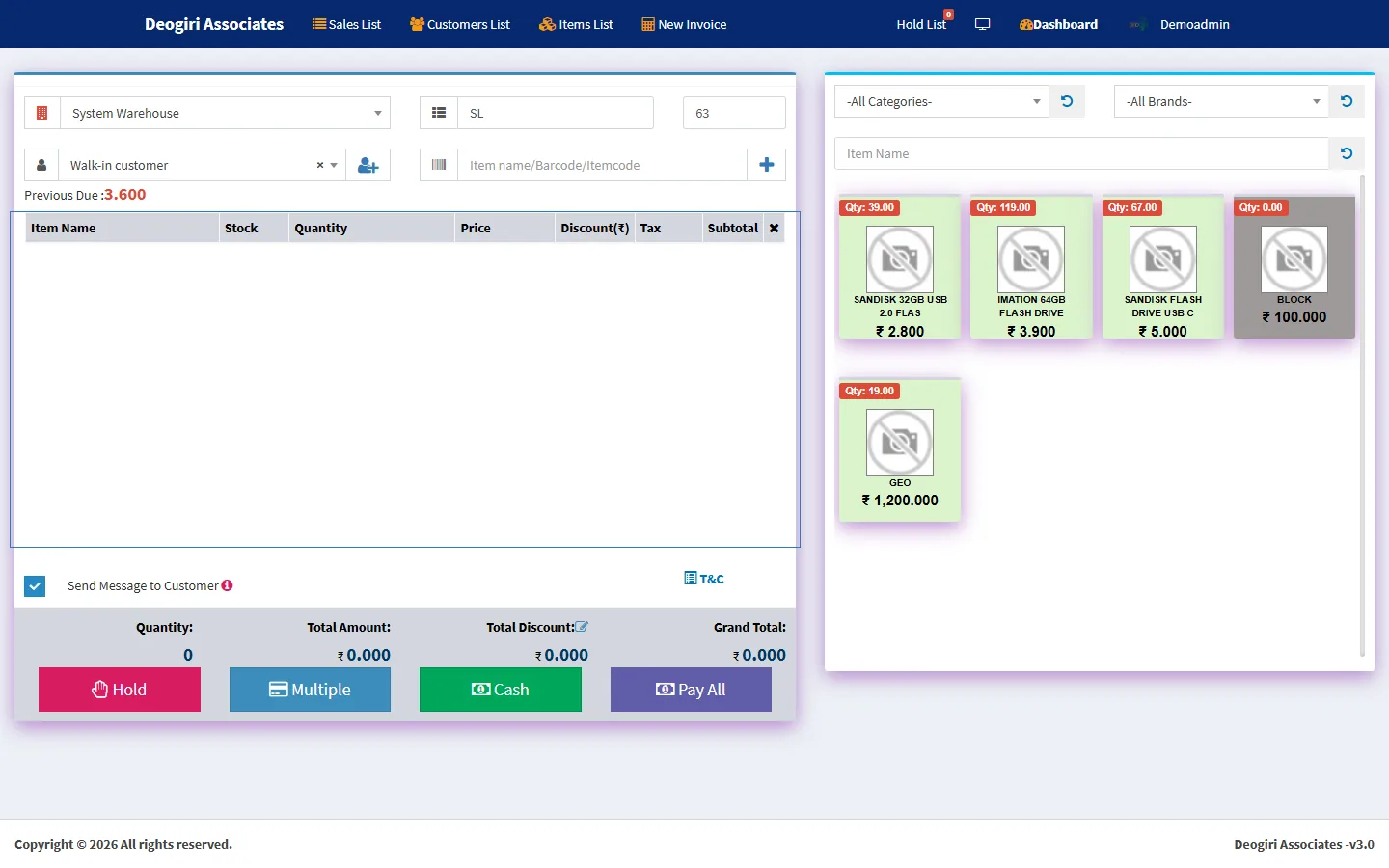
- Fast POS screen for the counter
- Quotations that convert into invoices
- Multiple warehouses with transfers and adjustments
- Barcode label printing
- Bulk import of items, customers and suppliers
- Roles: an admin and a cashier should see different screens
Billing Book by Darwinbark
Billing Book is our GST billing, POS and inventory software, sold as a one-time purchase. It includes all the reports above, multiple warehouses, barcode labels, quotations, returns, coupons and an SMS/WhatsApp API integration with message templates. Try it with the Store Admin and Cashier demo logins.
Setting Up GST Billing in Your Shop
- Add your GSTIN, shop details and invoice format.
- Create tax rates and units (piece, kg, box).
- Import your items and opening stock from a spreadsheet.
- Import existing customers and suppliers.
- Set up users: owner as admin, counter staff as cashier.
- Connect your WhatsApp/SMS API and edit the bill template.
Mistakes That Cause GST Headaches
- Wrong HSN/tax rate on items — fix the item master once, not each bill.
- Not recording purchase returns, which distorts input credit.
- Mixing two businesses in one account — use separate stores.
- Billing offline on paper during rush hour and never entering it.
Who Should Choose a One-Time Licence?
Shops that will bill on the same system for years, want data on their own server, or run several branches tend to save with a one-time licence. Very small sellers who only need a few invoices a month may prefer a free or low-cost subscription app.
Frequently Asked Questions
Does billing software file my GST returns?
Billing software prepares the GST sales and purchase reports your accountant or the GST portal needs; filing itself is done on the GST portal.
Can I send invoices on WhatsApp?
Yes, if the software has a WhatsApp/SMS API integration — you connect your provider and use message templates.
Can I manage two warehouses?
Look for multi-warehouse stock with transfers and adjustments between locations.
Is barcode billing supported?
Many POS systems print barcode labels and speed up counter billing with a scanner.
See It Working
Open the Billing Book product page for the live demo, screenshots and full feature list — or message us on WhatsApp for a walkthrough and quote.
Need help with this? Darwinbark can build it for you.
Darwinbark’s WhatsApp Business SaaS platform helps businesses automate customer communication, manage orders, send WhatsApp notifications, and support customers...
WhatsApp Business SaaS Platform Get a Free Quote