Quick answer: Most salon booking software in India is sold as a monthly subscription — typically around ₹1,000–₹2,500 a month per salon. A one-time-purchase system costs more upfront but nothing every month, and you own your customer data. For a salon that will use the software for more than a year, a one-time licence usually works out cheaper.
What Salon Software Costs in India
Published marketplace listings (November 2026) show the subscription pattern clearly:
- Curlx — listed at about ₹1,800 per month
- Miosalon — plans starting around ₹2,500
- Salon360 — starting from about ₹1,000 (excl. GST)
- Salonify — about ₹15,000 per year
Source: listings on Techjockey and Capterra India. Prices change — confirm with each vendor.
One-Time Purchase vs Monthly: The 3-Year Math
At ₹1,800 a month, a subscription costs ₹21,600 in year one and ₹64,800 over three years — and the moment you stop paying, the bookings history and customer list are locked away. A one-time licence is a single payment, runs on your own hosting, and the data stays yours. The trade-off: you (or your developer) handle hosting and updates.
Features a Salon Actually Needs
- Online booking with stylist choice — customer picks service, stylist, date and time without calling
- Stylist availability so two clients never land in the same slot
- Service catalogue with prices that you can edit yourself
- WhatsApp / SMS confirmations — reminders cut no-shows
- Online payment or deposit at booking
- Customer history — what each client had last time
- Reviews and gallery to turn the booking page into marketing
- Revenue dashboard per day, stylist and service
Questions to Ask Before You Buy
- Can I export my customer list and bookings at any time?
- Does the booking page work well on mobile (most bookings happen on phones)?
- Is WhatsApp messaging included or an extra paid add-on?
- Can I put it on my own domain with my salon’s branding?
- What happens to my data if I stop paying?
Salonix: Darwinbark’s One-Time Option
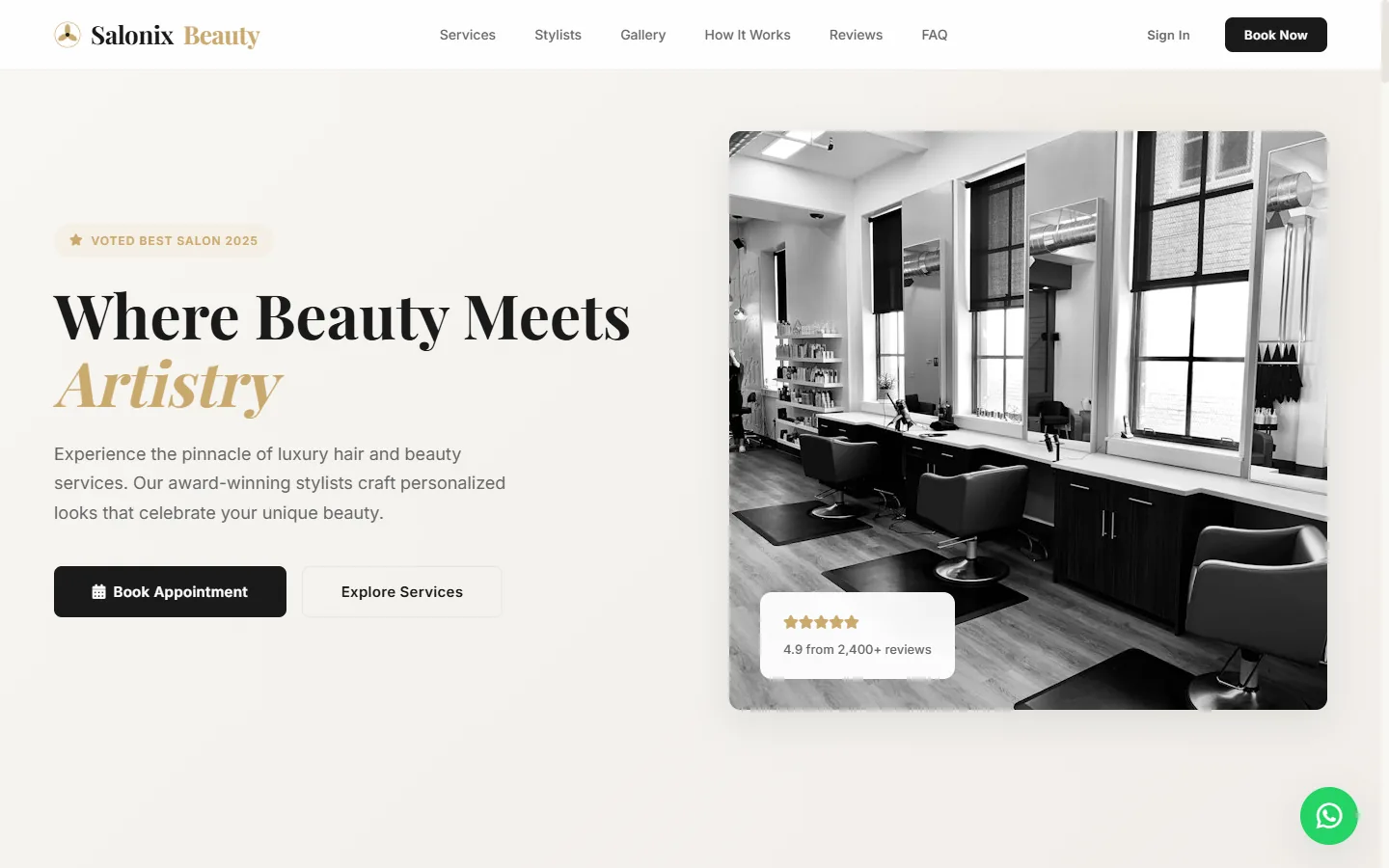
Salonix is the salon and spa booking platform we built: a guided booking flow (service → stylist → date → time), stylist and customer management, payment gateway setup, reviews, gallery, SMS/WhatsApp integration and a revenue dashboard — sold as a one-time purchase rather than a monthly plan.
How to Move Your Salon Online in a Week
- Day 1 — List your services. Name, duration and price for each, grouped by category (hair, skin, nails, bridal).
- Day 2 — Add stylists. Who does which services and their weekly working hours.
- Day 3 — Set booking rules. Slot length, buffer between appointments, how far ahead clients can book.
- Day 4 — Connect payments and WhatsApp. Decide whether you take a deposit, and switch on booking confirmations.
- Day 5 — Add your gallery and reviews. Real photos of your work convert far better than stock images.
- Day 6 — Share the booking link on your Instagram bio, Google Business Profile and WhatsApp status.
- Day 7 — Train the front desk to enter walk-ins into the same calendar, so online and offline never clash.
Common Mistakes Salons Make
- Keeping a paper diary alongside the software. Two calendars always drift; walk-ins must go into the system too.
- No reminders. A WhatsApp reminder the evening before is the cheapest way to reduce no-shows.
- Hiding prices. Clients book faster when the price is visible next to the service.
- Ignoring the mobile view. Most clients book from their phone — test the flow on one before launch.
Frequently Asked Questions
Is salon software worth it for a single-chair salon?
Yes, if you take appointments at all. Even one stylist loses bookings to unanswered calls; an online booking link works while you are with a client.
Do I need my own website for online booking?
Not necessarily — a booking page on your own domain works on its own and can later become your full website.
Can clients pay online when they book?
With a payment gateway connected, yes — either the full amount or a deposit.
What does one-time purchase mean for updates?
You pay once for the software. Hosting, and any new features you want added later, are arranged separately with your developer.
See It Working
Open the Salonix product page for the live demo, screenshots and full feature list — or message us on WhatsApp for a walkthrough and quote.
Need help with this? Darwinbark can build it for you.
Tailored web applications and dashboards that automate workflows and scale with your business.
Custom Software & Web Apps Get a Free Quote