The Problem
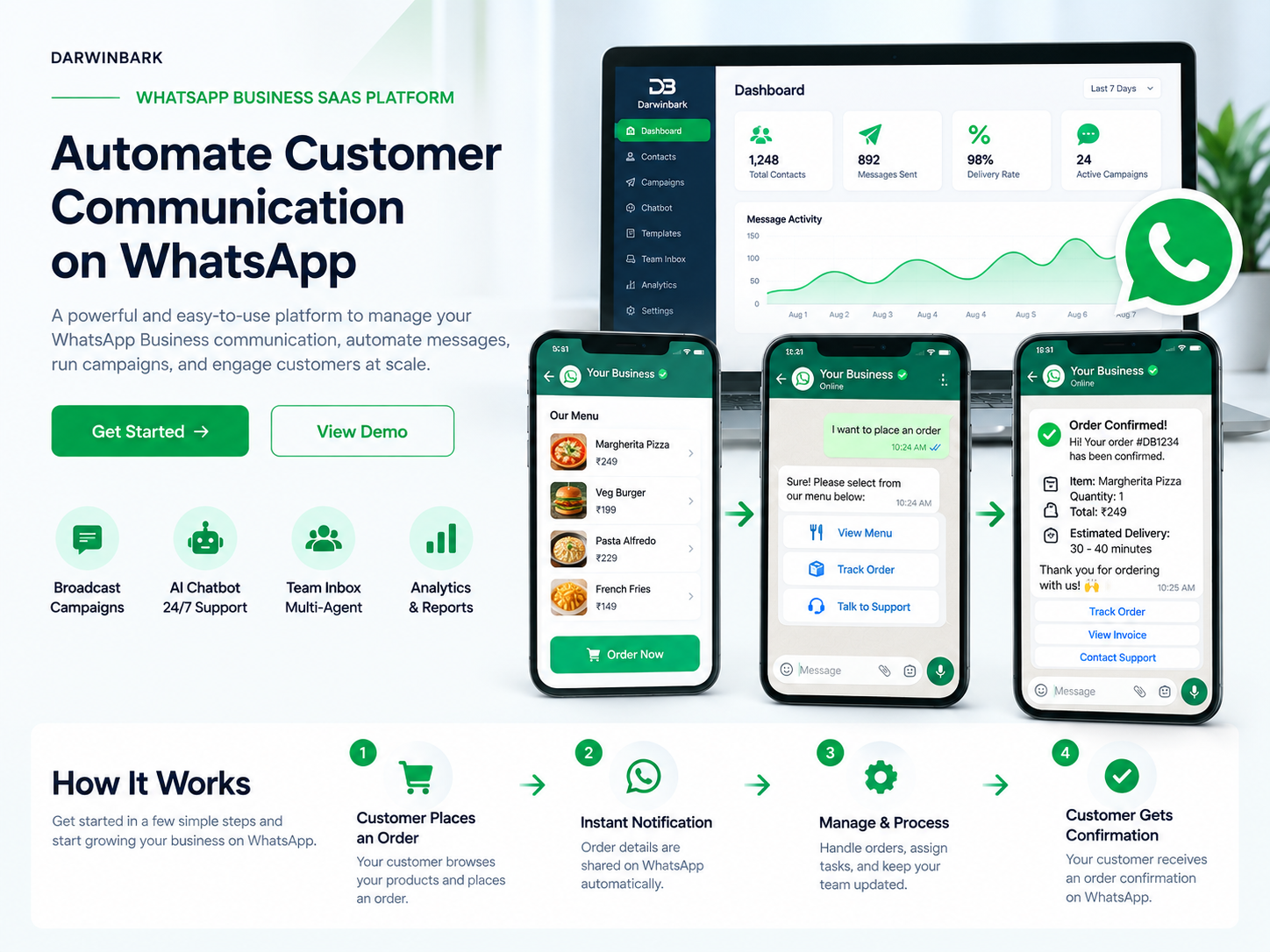
Businesses need a reliable way to communicate with customers, confirm orders, answer questions, and share important updates. Managing these conversations manually can take time, create delays, and make it difficult for teams to maintain consistent customer support.
Customers also expect quick responses and clear order updates through the messaging platforms they already use.
The Solution
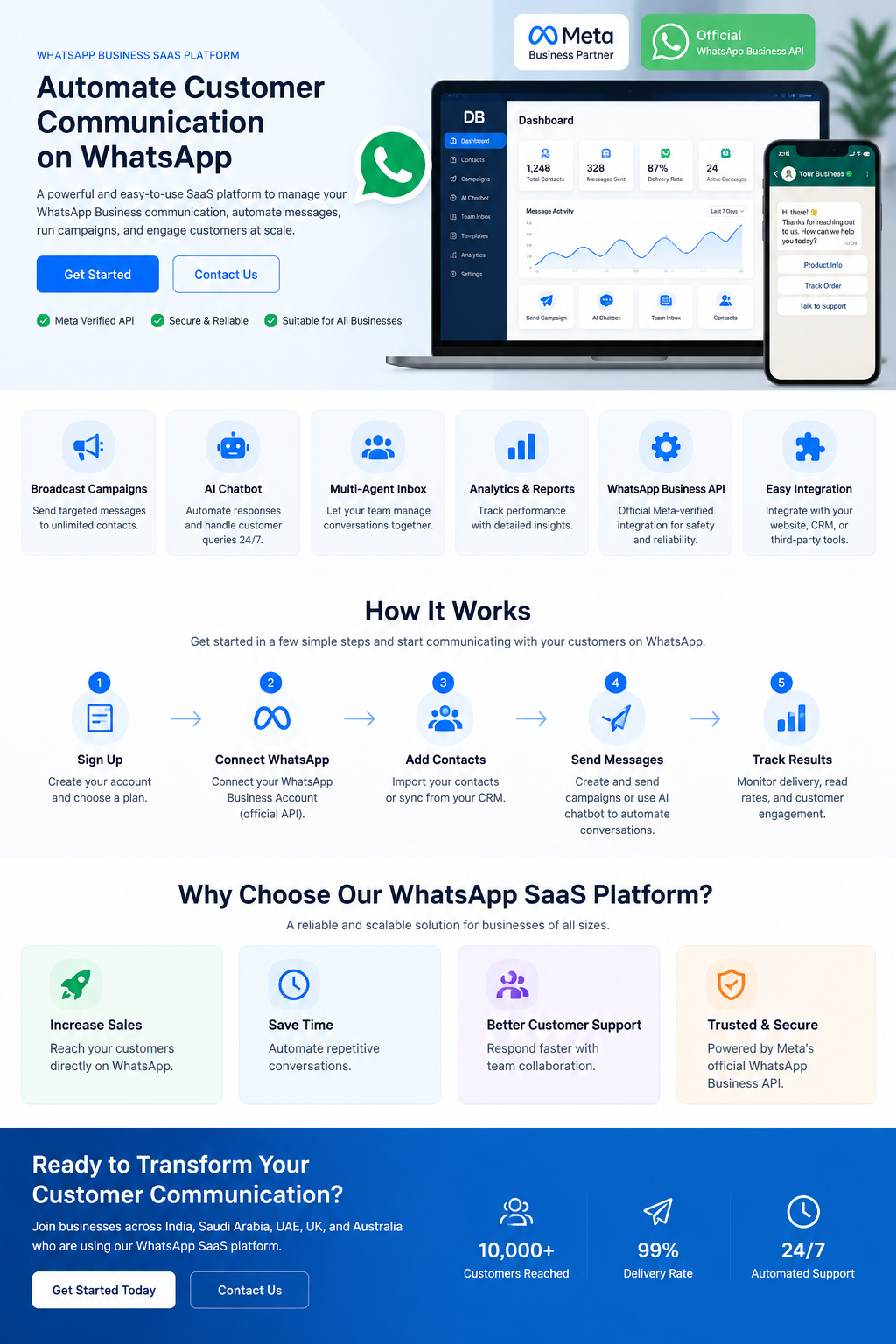
Darwinbark provides a WhatsApp Business SaaS platform that helps businesses manage customer communication and automate important messaging workflows through WhatsApp.
The platform connects businesses with their customers through the WhatsApp Business API and provides tools for order notifications, automated responses, team inbox management, and customer support.
How It Works
1. Connect Your WhatsApp Business Account
Connect your business WhatsApp account and configure the required business messaging settings.
2. Set Up Your Business Information
Add your business details, communication preferences, and the information required for customer conversations.
3. Configure Your Messaging Workflows
Create automated messages for customer enquiries, order updates, confirmations, and other business communication needs.
4. Customers Place an Order
A customer places an order through your website, application, or supported business workflow.
5. Send an Order Confirmation
The platform can send a WhatsApp order confirmation containing the order details and relevant customer information.
6. Manage Conversations
Your team can view and respond to customer conversations from a centralized inbox, helping maintain faster and more organized support.
Key Features
- WhatsApp Business API integration
- Automated customer messaging
- Order confirmation notifications
- Order status and delivery updates
- WhatsApp chatbot workflows
- Multi-agent team inbox
- Customer conversation management
- Broadcast campaigns where supported
- Message templates and automation rules
- Analytics and delivery reporting
Example: WhatsApp Order Confirmation
When a customer places an order, the business can use the platform to send a confirmation message through WhatsApp.
A typical message may include the customer's name, order number, purchased items, order amount, and the current order status.
Example Message
Darwinbark Business
Hi {{customer_name}}, your order has been confirmed.
Order ID: {{order_id}}
Amount: {{order_amount}}
Thank you for shopping with us.
Darwinbark Business
Hi {{customer_name}}, your order has been confirmed.
Order ID: {{order_id}}
Amount: {{order_amount}}
Thank you for shopping with us.
Why Choose Darwinbark?
Darwinbark focuses on building practical business software that improves communication, reduces repetitive work, and helps businesses manage customer interactions more efficiently.
Our WhatsApp SaaS platform is designed to support businesses that want a centralized communication system with automation, team collaboration, and useful messaging tools.
Build Better Customer Communication
Whether you need order confirmations, automated customer responses, or a centralized WhatsApp support inbox, Darwinbark can help you explore a suitable messaging solution for your business.
Connect with your customers. Automate important messages. Manage conversations more efficiently.