×
Darwinbark offers digital products, PHP scripts, WordPress plugins, Android and iOS apps, and software solutions. Explore AI-powered tools, business software, and practical digital utilities built to make work easier..

5 free resume layouts built to be read correctly by applicant tracking systems — and still look professional to the person who reads them next.

An applicant tracking system (ATS) reads your resume before a recruiter does. It pulls out your name, job titles, dates and skills and puts them into a database the recruiter searches. If it misreads your resume, you can be filtered out for a job you are qualified for.

Browse all templates
  • 56 templates
  • 12 layouts
  • 5 ATS-friendly layouts
  • No signup to start

ATS-friendly layouts

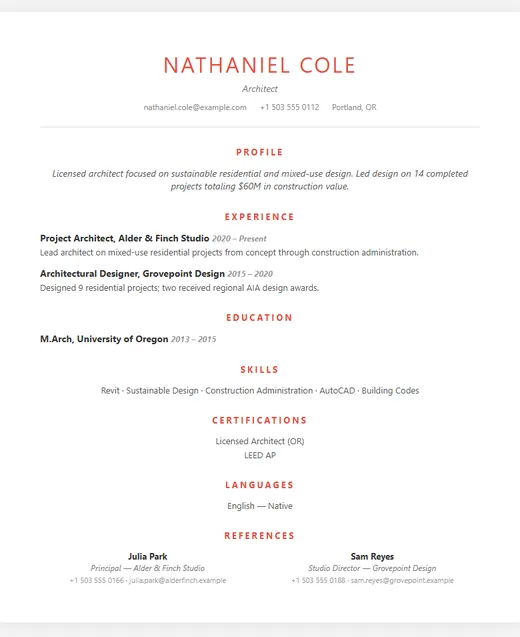
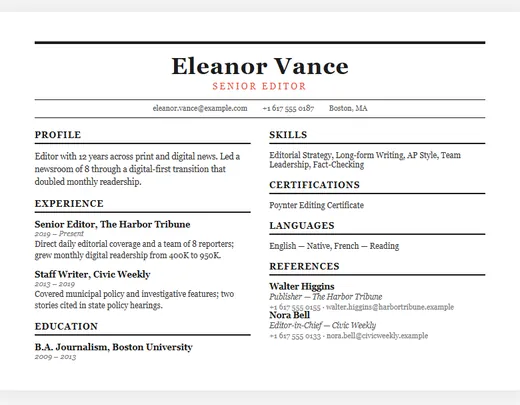
Newspaper resume template (ATS-friendly) — Traditional

Newspaper

Traditional ATS-friendly

3 colour options

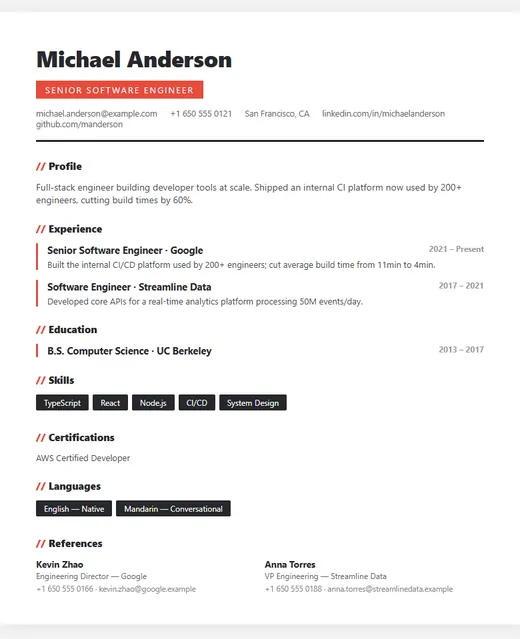
Modern resume template (ATS-friendly) — IT

Modern

IT ATS-friendly

5 colour options

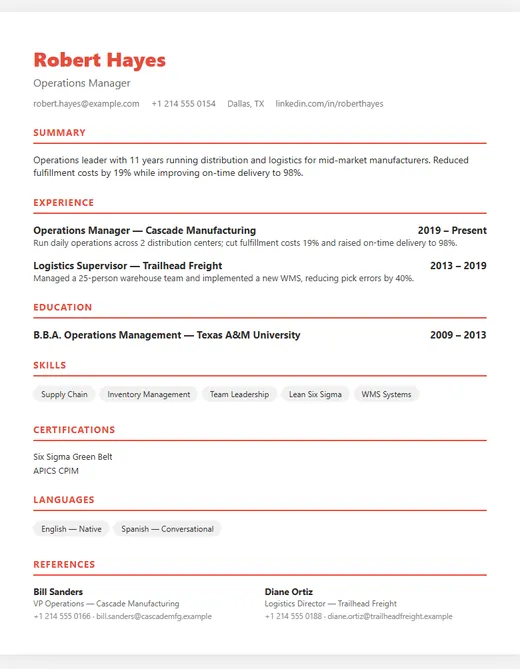
Classic resume template (ATS-friendly) — Professional

Classic

Professional ATS-friendly

5 colour options

Minimal resume template (ATS-friendly) — ATS Friendly

Minimal

ATS Friendly ATS-friendly

4 colour options

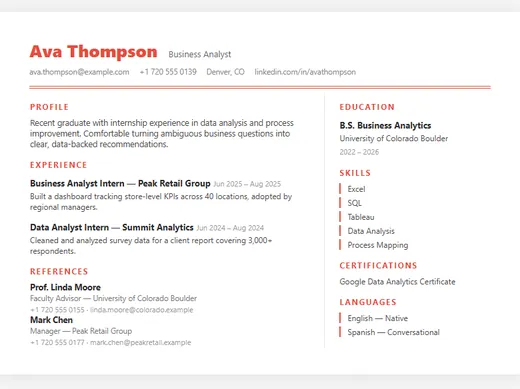
Compact resume template (ATS-friendly) — Fresher

Compact

Fresher ATS-friendly

4 colour options

What breaks an ATS

  • Text inside images or graphics. A skills chart, a logo with your name in it, or a heading made from an image is invisible to the parser.
  • Icons instead of words. A phone icon next to a number is fine for a person, but the software needs to see a phone number it can recognise.
  • Unusual section headings. "Where I've been" instead of "Experience" can leave your whole job history unlabelled. Standard names — Profile, Experience, Education, Skills — are matched reliably.
  • Information in headers and footers. Some systems skip them entirely, so contact details placed there can go missing.
  • Complex multi-column layouts. Some parsers read straight across the page, mixing text from two columns into one line.

How these layouts are built

The layouts on this page use standard section headings, keep your contact details in the main body of the page, and set every word as real, selectable text. They are designed for the person who reads your resume after the software, too — clean spacing, clear dates and a consistent hierarchy.

No template can guarantee that every ATS will read it perfectly, because every system is different. A reliable self-check: download your PDF, open it, select all the text and paste it into a plain text editor. If the result reads in a sensible order with your headings, titles and dates intact, most systems will read it correctly too.

Beyond the template: matching the job

Recruiters search the ATS using terms from the job description. If the listing asks for "stakeholder management" and your resume only says "worked with clients", you may not appear in the search. Mirror the exact wording of the skills you genuinely have — don't invent them, but do name them the way the employer does.

Frequently asked questions

What is an ATS-friendly resume?
One that applicant tracking software can read correctly: standard section headings, real text rather than images, and contact details in the body of the page, so your name, titles, dates and skills are extracted accurately.
Can an ATS read a PDF resume?
Most modern systems read PDFs well, provided the text is real text rather than a scanned image. Our PDFs are generated from live text. If a job listing specifically asks for another format, follow the listing.
Do colours affect ATS parsing?
No. Colour is ignored by the software; what matters is structure and whether the text is real text. Choose the colour that suits the role.
DarwinBotTell me what you need — I'll point you to the right solution.