Quick answer: A multi-tenant SaaS application serves many customers ("tenants") from one shared codebase and, usually, one shared database — with application-level rules making sure Tenant A can never see Tenant B's data. Laravel doesn't ship multi-tenancy out of the box, so most teams build it themselves with a tenant discriminator column, scoped Eloquent queries, and a resolver that figures out which tenant a request belongs to from the URL or the logged-in user. Below, we walk through that exact pattern using Darwinbark's own Website Builder as a real, running example.
Multi-tenancy is easy to explain in the abstract and easy to get wrong in practice. The failure mode isn't a crash — it's a silent data leak: Tenant B's request quietly returns Tenant A's rows because a query forgot a WHERE clause. So instead of writing another generic Laravel SaaS tutorial, we logged into our own live product with a real test account, built a new website end to end, and opened the actual Laravel 10 codebase behind it to verify how tenant isolation really works. Every architectural claim below is either backed by code we read directly or behavior we personally reproduced. Where we couldn't verify something, we say so.
What Is a Multi-Tenant SaaS Application?
SaaS (Software as a Service) is software you rent by subscription instead of installing — the vendor runs one application, and customers access it over the web.
Multi-tenancy is the specific way most SaaS products are built to make that affordable: instead of standing up a separate copy of the application for every customer, one running application serves all customers. Each customer is a tenant — a workspace with its own data, settings and users, kept logically separate from every other tenant even though the underlying servers, code and often the database are shared.
The core promise of a multi tenant architecture, in one sentence: many customers, one application, and data that never crosses between them. Everything else — how you identify a tenant, how you store their data, how you gate features — is an implementation detail in service of that one promise.
How Darwinbark's Website Builder Uses Multi-Tenancy
Darwinbark's Website Builder is a free-to-build, pay-to-publish SaaS product: any registered Darwinbark user can pick a template, build a full multi-page website, and preview it live, entirely free. Publishing it to a public URL, connecting a custom domain, or removing Darwinbark branding requires an active plan.
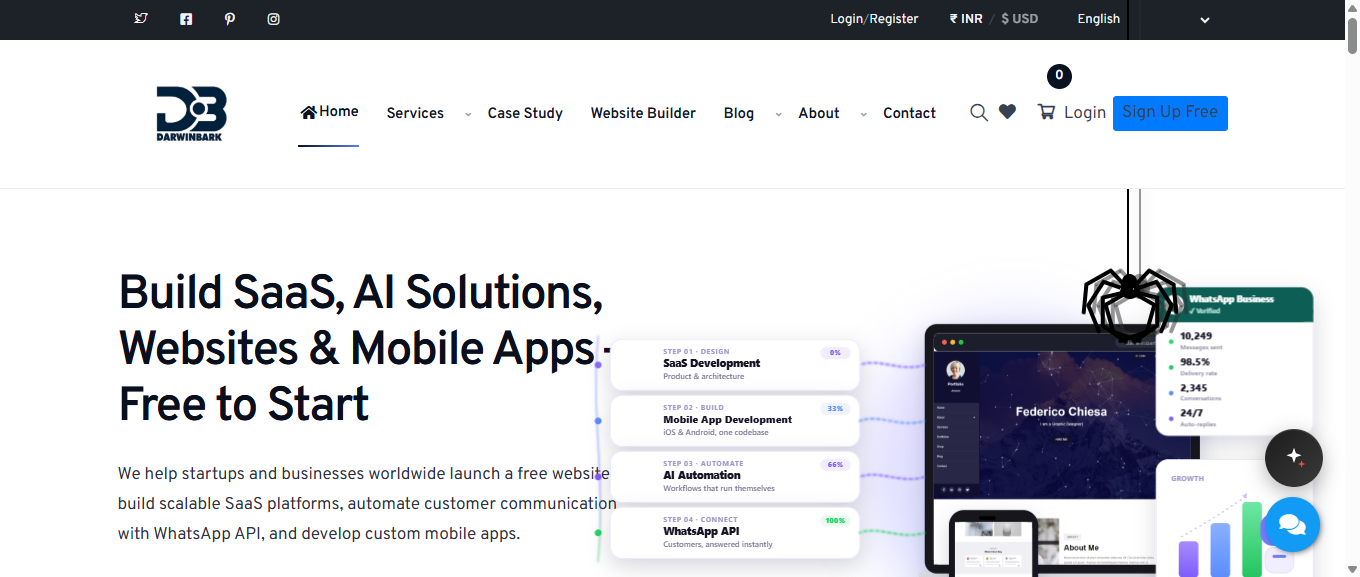
Darwinbark homepage with navigation to the Website Builder
In the tested workflow, each website a customer builds is a tenant — a single row in a builder_sites database table, owned by a user_id. Here is what we verified, first-hand, using the demo account:
- One account, many tenants. The demo account we tested with already owned two live websites before we started, both listed on the dashboard under "My Websites."
- Creating a new tenant is a self-serve, seconds-long flow. We picked the Corporate template, filled in a business name and a subdomain, and clicked "Launch My Site." A new tenant existed immediately, reachable at
darwinbark.com/site/{subdomain}. - Each tenant is edited in isolation. The editor dashboard for our new site only showed content for that one site.
- The tenant survives logout. We logged out and back in with the same demo credentials, and the newly created site was still there, still owned by the same account, still publicly reachable.
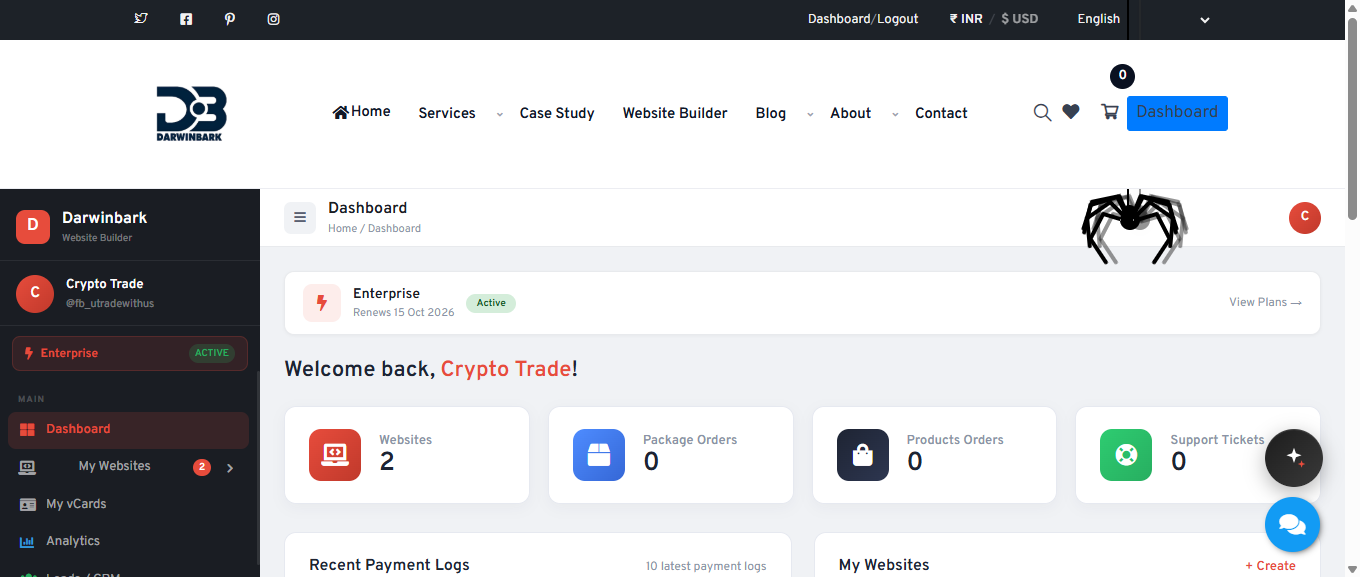
Darwinbark account dashboard listing existing website projects
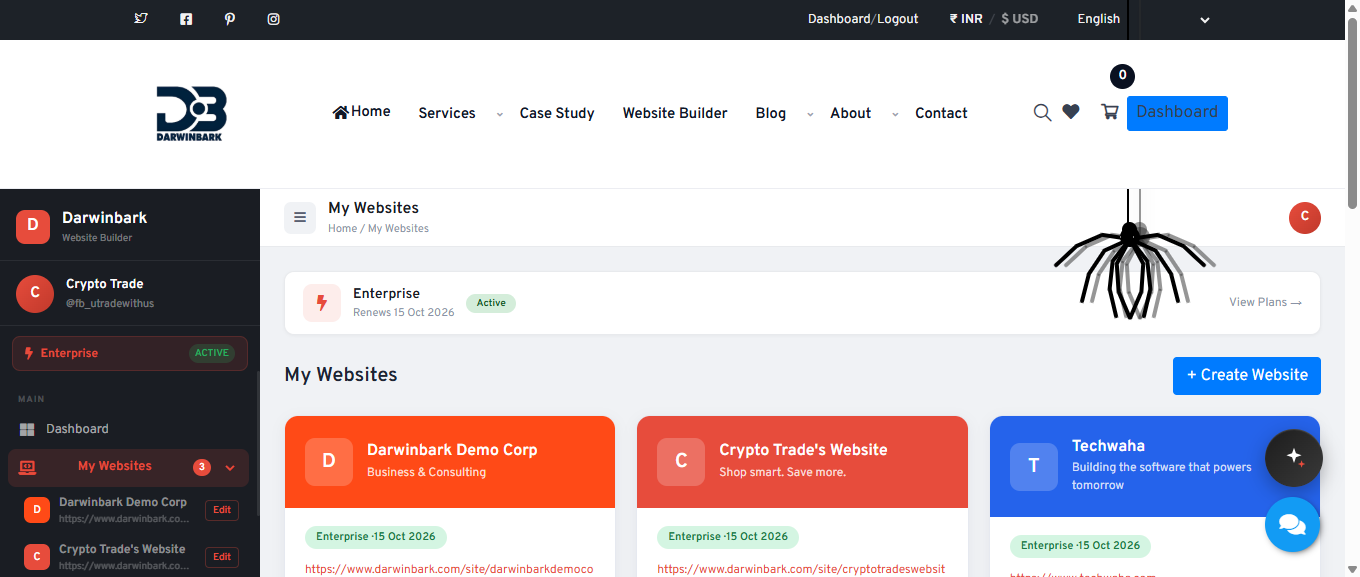
Darwinbark account dashboard showing three website projects
That last screenshot is the same account after we created a third site — the same shared application, the same database, three fully independent tenants.
Choose a Multi-Tenancy Strategy
Before writing code, every Laravel SaaS application has to pick one of three broad database strategies for its multi tenant architecture:
| Strategy | How it works | Pros | Cons |
|---|---|---|---|
| Shared database, shared tables, tenant ID column | All tenants' rows live in the same tables; a tenant_id column marks ownership | Cheapest to run, simplest migrations, easy cross-tenant reporting | Every query must remember to filter by tenant — one missed WHERE clause is a data leak |
| Separate database per tenant | Each tenant gets its own database, same schema | Strongest isolation, easy to back up/restore/delete one tenant | Expensive at scale, migrations run N times, cross-tenant reporting is hard |
| Separate schema per tenant | One database, one schema per tenant (mainly Postgres) | Good isolation without full DB-per-tenant overhead | Still N schemas to migrate; less common in the Laravel/MySQL world |
Darwinbark's Website Builder uses the shared-database, shared-tables, tenant-ID-column strategy. We confirmed this directly from the migrations: builder_sites is one table holding every customer's website as a row, and content tables like builder_sections and the shop/blog/portfolio/gallery/jobs/courses/campaigns/pages modules all carry a site_id foreign key rather than living in per-tenant databases. There is no tenancy package (like stancl/tenancy) in composer.json, and no per-tenant database connection switching anywhere in the codebase we inspected — this is a hand-rolled, discriminator-column approach.
One detail worth calling out: the builder_sites table originally had a unique constraint on user_id — one user could only own one site. A later migration added a site_id column to content tables and backfilled it from each user's oldest site, and a follow-up migration dropped that unique constraint, enabling multiple sites per user. Darwinbark's Website Builder evolved from "one site per customer" to "many sites per customer" as a deliberate schema migration, not a rewrite.
Design the Database
Here is a simplified, illustrative version of the real shape (not the literal migration file):
// Illustrative example — simplified for this article, not a verbatim schema.
Schema::create('builder_sites', function (Blueprint $table) {
    $table->id();
    $table->foreignId('user_id')->constrained()->onDelete('cascade'); // the OWNING account
    $table->string('subdomain')->unique();      // public tenant identifier
    $table->string('custom_domain')->nullable();
    $table->string('template_key');
    $table->string('visibility')->default('public'); // public | offline | pending_approval | private
    $table->timestamps();
});

Schema::create('builder_sections', function (Blueprint $table) {
    $table->id();
    $table->foreignId('site_id')->constrained('builder_sites'); // the TENANT this row belongs to
    $table->string('section_type');   // hero | about | services | contact ...
    $table->json('content')->nullable();
    $table->timestamps();
});
The pattern generalizes to every content table in the builder — blog posts, portfolio items, shop products, gallery images, job listings, leads, subscribers, quote requests. Every one carries a site_id foreign key. That column is the entire tenant-isolation contract for the shared-database strategy: get it right on every query, and tenants never see each other's data; forget it once, and you have an IDOR bug.
Identify the Current Tenant
A shared-database SaaS needs a reliable way to answer "which tenant does this request belong to?" on every request. Darwinbark's Website Builder answers that two different ways, depending on who's asking.
For a visitor browsing a published site, the tenant is resolved from the URL. The public route is /site/{subdomain}:
// From the real SiteController (simplified).
public function show(string $subdomain)
{
    $site = BuilderSite::where('subdomain', $subdomain)->firstOrFail();
    // ...render $site's content
}
If the tenant has connected a custom domain, a dedicated ResolveCustomDomain middleware runs earlier in the pipeline. It normalizes the incoming Host header, looks up a BuilderSite whose custom_domain column matches (cached for 5 minutes), and internally rewrites the request path to the equivalent /site/{subdomain}/... route. The middleware's own code comment states the design intent plainly: no user-supplied input ever selects the tenant here — only the Host header, matched against a unique database column.
For the site owner working in the dashboard, the tenant is resolved from the session, because a logged-in user might own several sites. Darwinbark's Website Builder tracks this with a builder_active_site_id session value, and re-validates ownership on every read:
// From the real BuilderSite model.
public static function activeId(): ?int
{
    $userId = auth()->id();
    if (!$userId) return null;

    $id = session(self::SESSION_KEY);
    if ($id && static::where('id', $id)->where('user_id', $userId)->exists()) {
        return (int) $id;
    }

    return static::where('user_id', $userId)->latest()->value('id');
}
That where('user_id', $userId) check on every call is what stops a stale or tampered session value from ever resolving to a site the current user doesn't own.
Isolate Tenant Data
Tenant identification only matters if every subsequent query actually uses it. The rule that matters most in a shared-database SaaS:
A request belonging to Tenant A must never retrieve Tenant B's records.
In the code we reviewed, isolation is enforced by scoping queries to site_id (or user_id for account-level resources) at the point of the query — not through a single global framework-level scope. A safe, generalized version of the pattern:
// General Laravel pattern — representative of how each Builder\Controller scopes queries.
class GalleryController extends Controller
{
    public function store(Request $request)
    {
        $site = BuilderSite::activeOrFail(); // re-validates ownership, see above

        $item = BuilderGalleryItem::create([
            'site_id' => $site->id,
            'image'   => $request->file('image')->store('builder/gallery', 'public'),
        ]);
    }

    public function update(Request $request, BuilderGalleryItem $item)
    {
        abort_unless($item->site_id === BuilderSite::activeId(), 403);
    }
}
We saw this same shape repeated across the builder's controllers for shop items, blog posts, portfolio entries, jobs, rooms, courses and campaigns. It's manual, controller-by-controller discipline rather than a single global mechanism like a Laravel Eloquent global scope. For a new project, wrapping this in a global scope or a BelongsToTenant trait is a lower-risk approach than repeating the check by hand in every controller, because it's enforced once instead of N times.
Build Authentication and Authorization
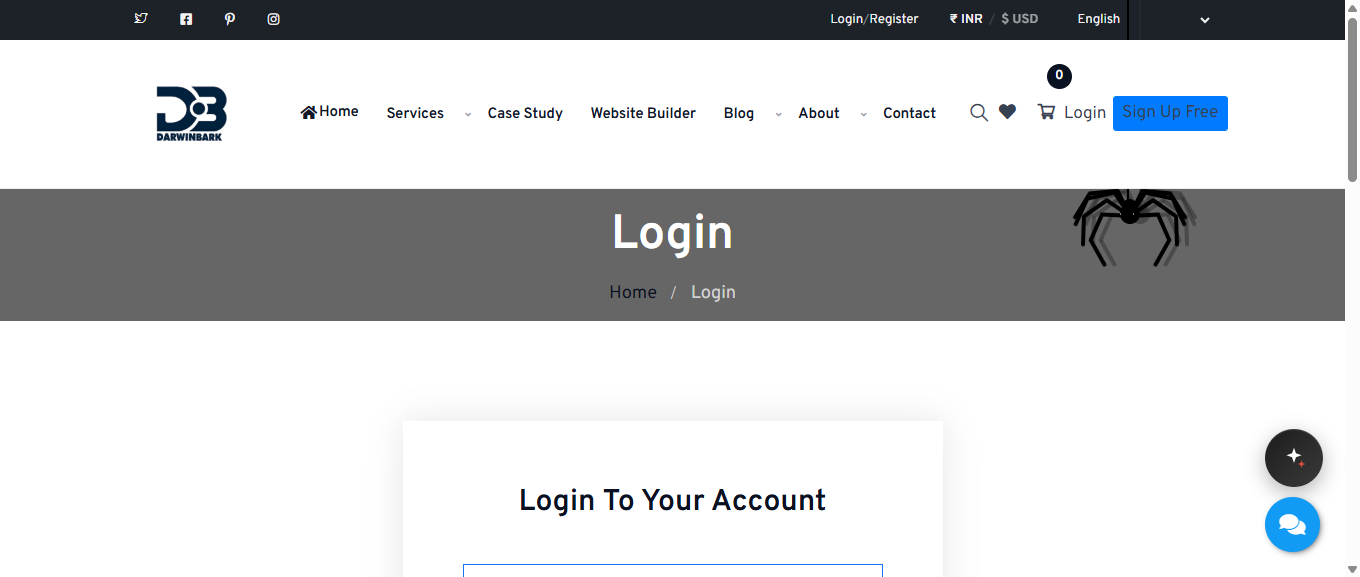
Darwinbark login page with email and OAuth options
Two genuinely separate authentication systems exist side by side in this codebase. Platform accounts — the Darwinbark users who own websites — authenticate through Laravel's default web guard: standard session login, plus Google and Facebook OAuth (both buttons were live and functional on the login page we tested).
Tenant end-customers are a separate concept: shoppers who create an account on one specific tenant's storefront. These authenticate through a dedicated builder_customer guard, and every check against a logged-in customer also compares site_id:
// From the real CustomerAuthController.
if (Auth::guard('builder_customer')->check()
    && Auth::guard('builder_customer')->user()->site_id === $site->id) {
    // this customer belongs to THIS tenant
}
That site_id === $site->id comparison is doing real work: without it, a customer who registered on Tenant A's shop could otherwise authenticate as "logged in" while browsing Tenant B's shop.
Authorization — what a logged-in platform user is allowed to do — is handled through a feature-entitlement service (BuilderGate) rather than roles/permissions, covered below under billing.
Build the SaaS Dashboard
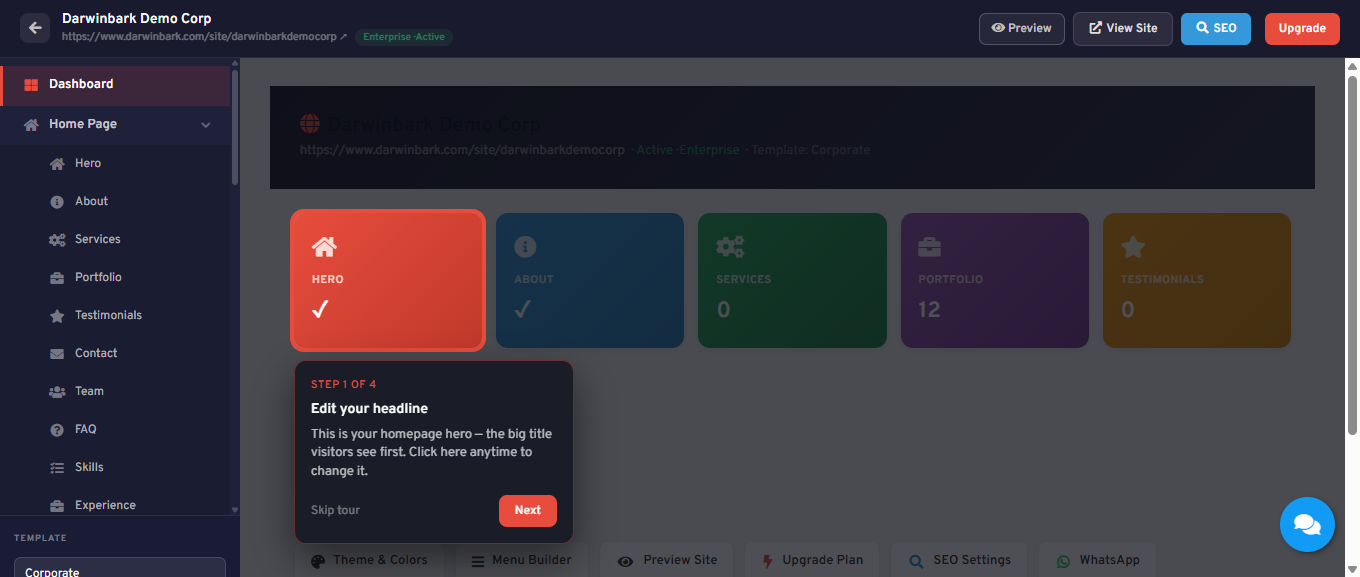
Darwinbark Website Builder per-site editor dashboard
The dashboard we tested lists all websites the account owns, current plan status, and recent payment logs, with links out to per-product areas (vCards, Analytics, Leads/CRM, WhatsApp Business, orders, support tickets). From there, "Edit" on any website drops into that specific tenant's own dashboard, which is where the actual page-building happens.
The per-tenant editor sidebar we saw live is organized into: Home Page (Hero, About, Services, Portfolio, Testimonials, Contact, Team, FAQ, Skills, Experience, Counters, Features, Offer Banner), Navigation (Menu Builder, Pages), Content (Blog, Gallery, Portfolio, Careers, Subscribers, Request-a-Quote, Rooms, Courses, Donations), Manage (Leads/CRM, QR Code, Subdomain, WhatsApp, AI Content credits), and Settings (Theme & Colors, SEO, Custom Domain, Plans & Upgrade).
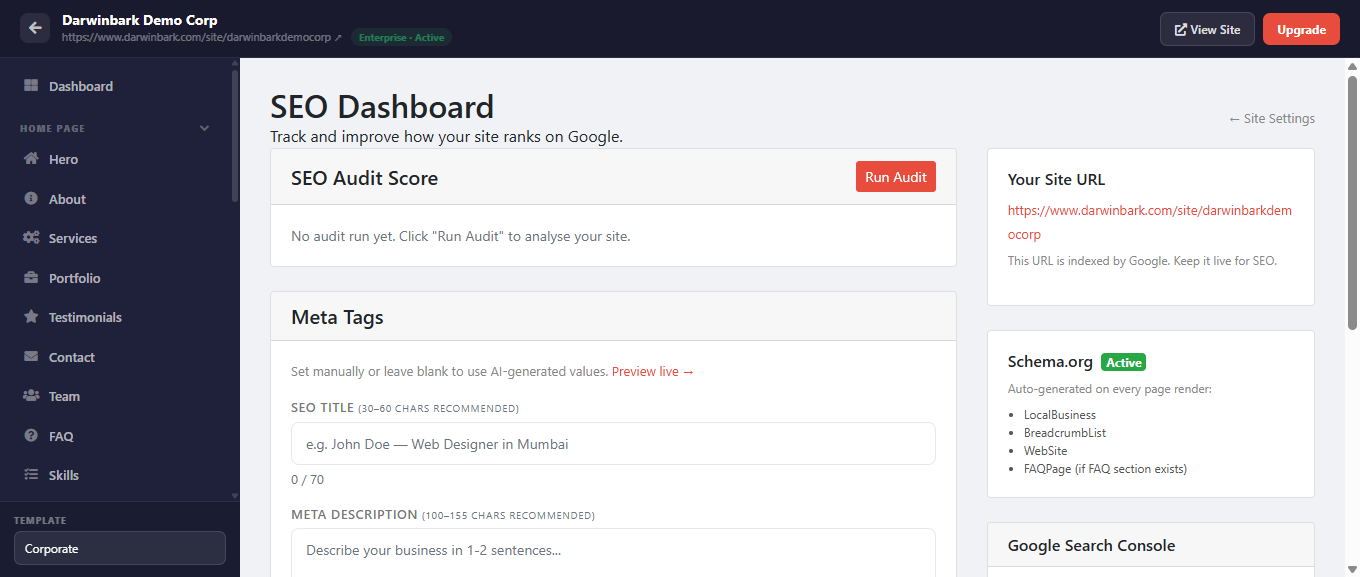
Darwinbark Website Builder SEO settings page
Build the Website Builder / Template System
The end-to-end flow we walked, in the order we actually experienced it:
- Browse templates — 13 templates across categories (Business, Startup, Agency, Technology, Legal, Communication, eCommerce, Education, Food & Hospitality, nonprofit, Portfolio).
- Preview a template — a shared, static reference site every visitor sees identically, not the tenant you'll eventually own.
- Set up the site — business/site name, a subdomain with live availability checking, and a choice between "Demo Content" or "Generate with AI."
- Instant provisioning — the new tenant exists immediately, with a stated trial window.
- Edit in the per-tenant dashboard — every section opens an inline edit panel with real form fields.
- View the live site — the actual public tenant URL, rendering the real content just edited.
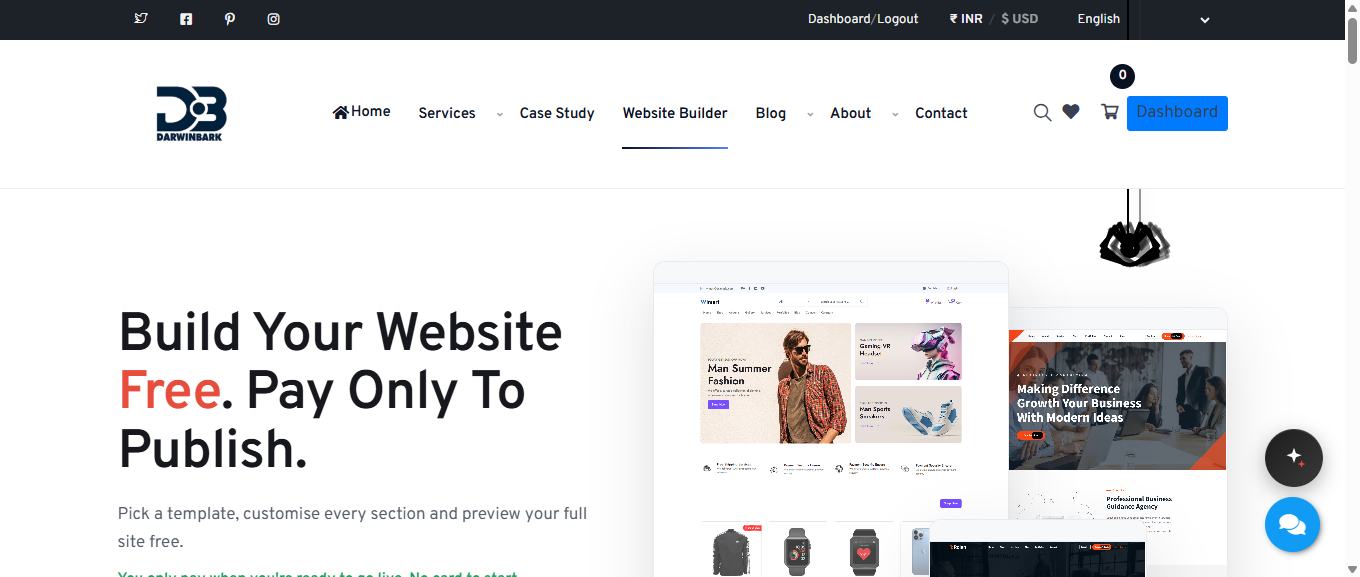
Darwinbark Website Builder template selection grid

Live preview of the Corporate website template
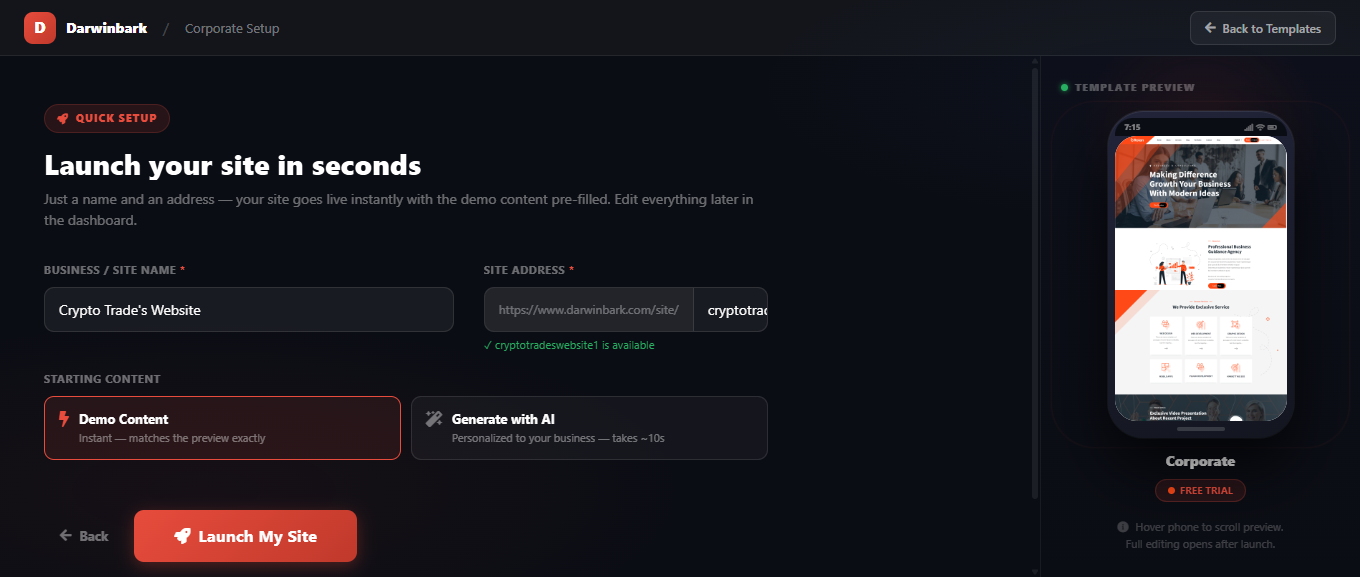
Darwinbark Website Builder quick setup form for a new site
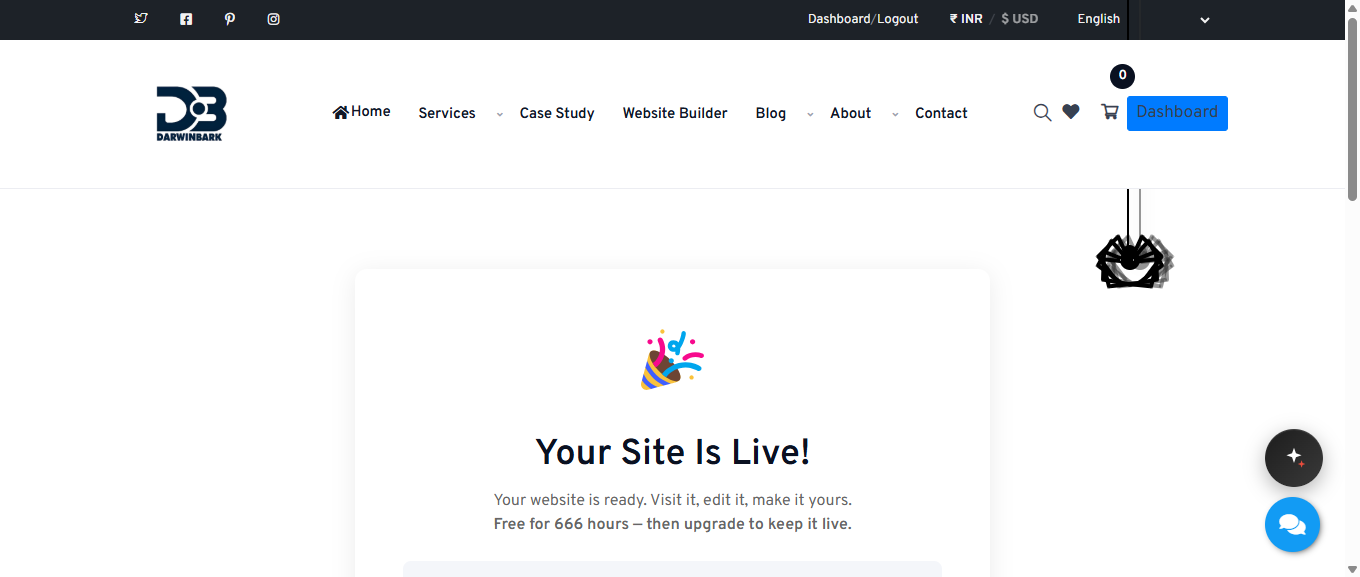
Darwinbark Website Builder trial site created confirmation
One implementation detail worth flagging for a custom SaaS development team building something similar: the template-preview redirect target and the real tenant-cloning source are two intentionally separate concepts in this codebase — a legacy field used purely for the marketing-facing preview, versus the actual "provision this new tenant's starting content" logic. Keeping those separate means the public preview stays pixel-perfect and stable even while the real provisioning logic evolves.
Handle Tenant-Specific Content
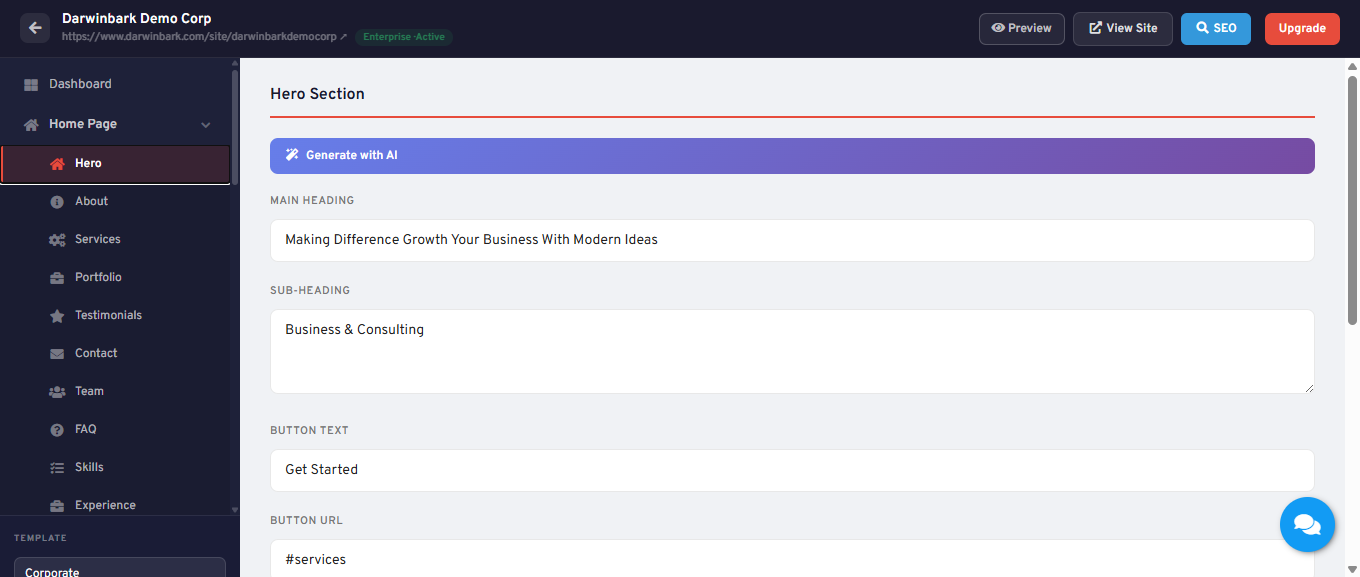
Darwinbark Website Builder hero section content fields
Every piece of content we touched — the Hero headline, the chosen template, the subdomain, the SEO fields — was scoped to the one tenant (site_id) we were editing, and had no visible effect on the account's two pre-existing sites. That's the practical, user-facing proof of the site_id-scoped schema described earlier: business information, page content, images, and settings genuinely differ per site, even though all three of this account's sites are served by the same Laravel application and the same database.
Publishing a Tenant Website
Publishing in this product isn't a single "publish" button so much as a gate that's checked every time a visitor requests a tenant's public page. From the real SiteController@show:
- If the site is flagged
is_demo, it bypasses every check below (a legacy pixel-parity clone, not a real customer tenant). - Otherwise, the site's
visibilityvalue is checked first — offline, pending_approval, or private sites are only visible to their own owner. - Then,
BuilderGate::canUsePublicUrl($site->user_id)is checked — this looks at the owning user's active subscription entitlements, not anything stored on the site itself.

Publicly viewable page of a newly created Website Builder site
That last point produced a genuinely interesting, verified-live finding: because the demo account already had an active Enterprise plan from earlier testing, our brand-new trial site was immediately publicly viewable with no separate payment — the entitlement check is per-user, and it covers every site that user owns. If this had been a fresh account with no active plan, we'd expect the new site to hit that same gate and show the offline placeholder instead — we didn't independently test that specific fresh-account path, so we're stating it as inferred from the code rather than reproduced.
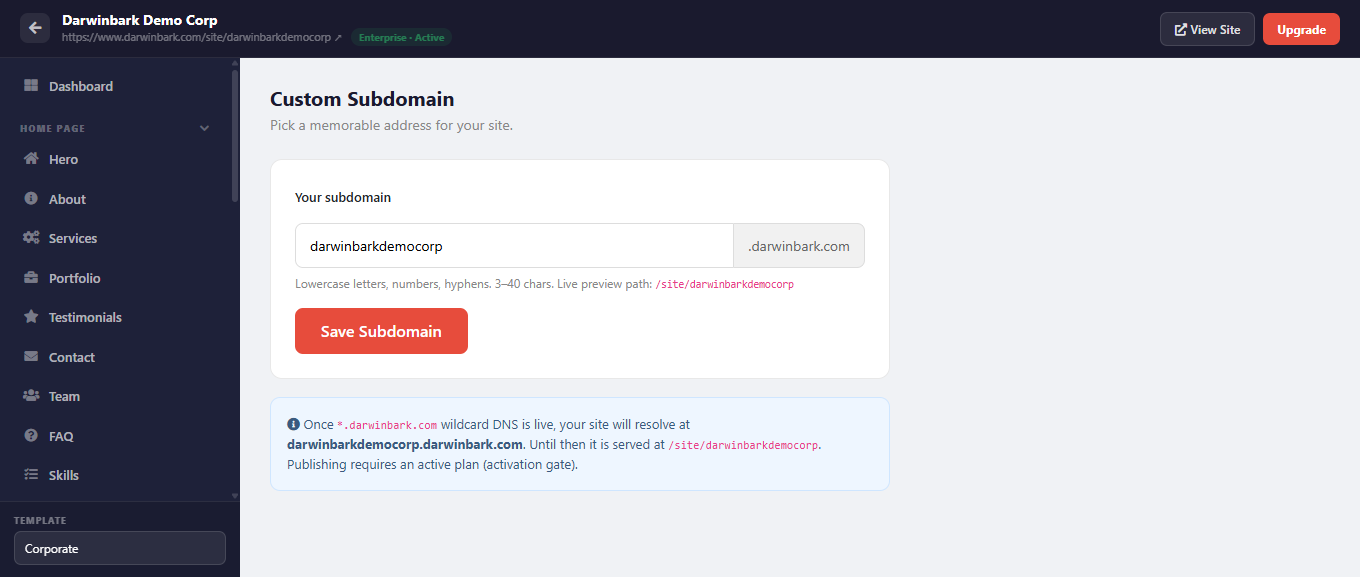
Darwinbark Website Builder subdomain settings page
Custom domains: the marketing copy states a custom domain can be connected with a single click with free SSL; a subdomain settings screen and a custom_domain/domain_status column pair confirmed the underlying support exists. We did not connect a real domain during this test, so the end-to-end DNS-and-SSL provisioning experience is not verified in this pass — only the code path that resolves an already-connected domain.
SaaS Billing and Subscriptions
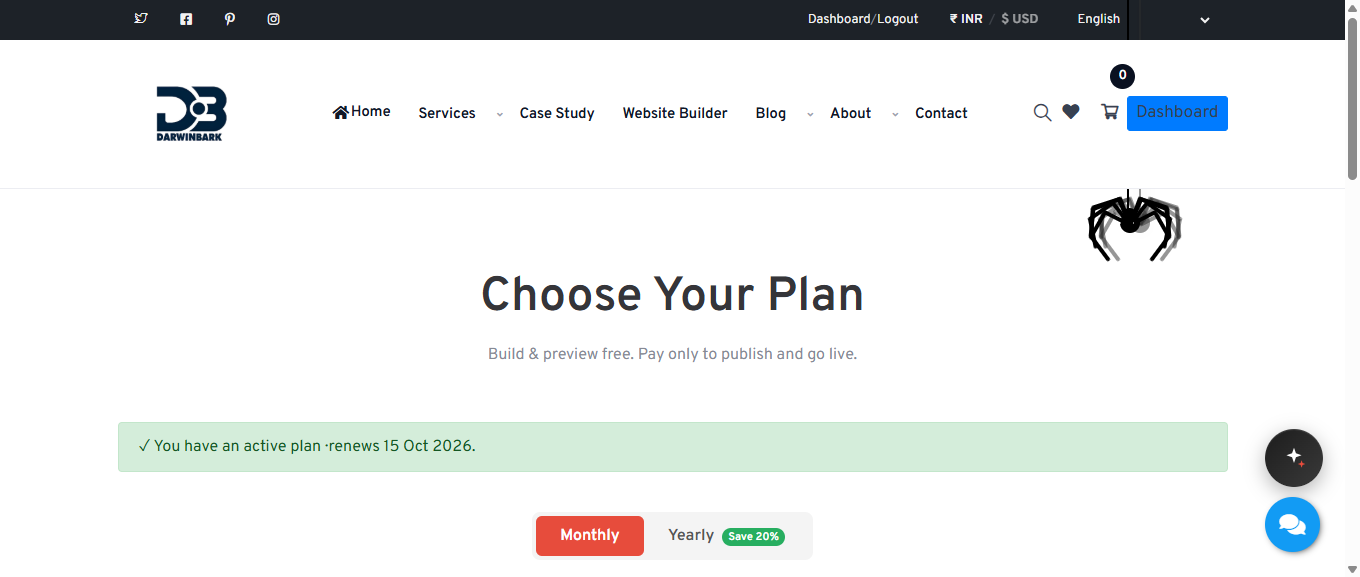
Darwinbark Website Builder pricing and plans page
The account we tested with had an active Enterprise plan and a payment-log table showing a Trial line item at USD 0.00. From the schema, the billing model is a bundle-of-products with usage entitlements, not simple flat subscription tiers: separate tables exist for products (individually sellable capabilities), bundles (a named collection of products, i.e. a "plan"), subscriptions (a user's active purchase of a bundle), and entitlements (the resulting per-feature quota, with expiry tied to the subscription's billing cycle). We saw this live too: the editor's "AI Content" module showed a running credit counter, which lines up directly with the AI-credits entitlement type in the code.
Checkout supports a manual payment-proof attachment flow as one path to activating a plan; whether additional automated payment gateways are wired specifically into this builder checkout was not something we verified end-to-end in this pass, since we did not — and were explicitly asked not to — make a real purchase.
Caching in Multi-Tenant Laravel Applications
Verified in this codebase: two specific, tenant-relevant cache uses. First, the entitlement gate caches each user's resolved entitlement per feature for 5 minutes, under a key shaped like builder_gate:{userId}:{feature}, and explicitly busts all of that user's feature keys whenever their entitlements change. Second, the custom-domain resolver caches the domain-to-subdomain lookup for 5 minutes. In the local environment we inspected, the cache driver is the file driver.
General recommendation, not Darwinbark's verified production configuration: for a shared-database multi tenant architecture, namespace every cache key by tenant explicitly — e.g. tenant:{tenant_id}:settings — rather than relying on TTL alone, and prefer a shared cache store (Redis) over the file driver once you run more than one application server.
Queues and Background Jobs
Verified: the local environment we inspected has QUEUE_CONNECTION=sync, meaning queued work executes synchronously rather than through a background worker, and we found no app/Jobs directory in this codebase. We can't speak to whether production runs a different queue connection; that wasn't something we could check in this session.
General recommendation, not Darwinbark's implementation: any job you dispatch in a multi-tenant app should carry the tenant ID as an explicit constructor argument rather than relying on request-scoped state like the current session — a queue worker has no HTTP request or session to inherit tenant context from.
Storage and Media Isolation
Verified: uploaded media (logos, favicons, gallery images, blog thumbnails, shop product images) is written to Laravel's public disk under content-type folders. Isolation between tenants here is enforced at the database level (each uploaded file's path is stored on a row scoped by site_id), not by the storage path itself.
General recommendation, not Darwinbark's implementation: for stronger isolation, many teams namespace the storage path itself by tenant (e.g. builder/{site_id}/gallery/...) so a misconfigured public-disk permission can't accidentally expose one tenant's files under a predictable shared path.
Security Considerations for Multi-Tenant SaaS
Grounded in what we actually found in this codebase, plus general practice from OWASP:
- IDOR prevention — verified pattern: controllers compare a resource's site_id against the currently active/owned site before allowing reads or writes.
- Session-to-tenant binding — verified: active-site resolution re-checks user_id ownership on every call, not just at session-set time.
- Host-header trust — verified: the custom-domain resolver matches only against a unique database column, never other request input.
- Separate customer identity per tenant — verified: the builder_customer guard's checks include an explicit site_id equality comparison.
- Mass assignment, validation, file-upload validation, signed URLs, rate limiting, CSRF, secrets management, logging, backups — these are general Laravel/OWASP practices we did not independently verify against this specific codebase (that would require a dedicated security audit, not a feature walkthrough): use
$fillable/$guardedon every tenant-scoped model, validate every upload's MIME type and size server-side, prefer signed/temporary URLs for private tenant files, rate-limit any endpoint that resolves a tenant, and never let a tenant's ID or subdomain be inferred from an error message or timing difference.
Testing Tenant Isolation
The practical test every multi tenant SaaS Laravel application should be able to pass: Tenant A creates a record, Tenant B (a different authenticated owner) requests that record's URL/ID directly, and the request must be denied — not just hidden from a list view. Tenant B must receive zero fields from Tenant A's record, not a redacted version of it.
A minimal PHPUnit expression of that test, in Laravel-idiomatic form:
public function test_tenant_b_cannot_read_tenant_as_gallery_item(): void
{
    $ownerA = User::factory()->create();
    $siteA  = BuilderSite::factory()->for($ownerA)->create();
    $item   = BuilderGalleryItem::factory()->for($siteA, 'site')->create();

    $ownerB = User::factory()->create();
    BuilderSite::factory()->for($ownerB)->create();

    $this->actingAs($ownerB)
        ->getJson("/my-site/gallery/{$item->id}")
        ->assertForbidden();
}
Not verified: we searched this codebase's test suite for existing automated tenant-isolation coverage and found none matching this pattern. That's a genuine gap worth flagging — a shared-database multi-tenant app is exactly the kind of system where a regression test like the one above earns its keep, since a single missed site_id check in a new controller is a data-leak bug that's easy to introduce and easy to miss in manual QA.
Deploying a Laravel Multi-Tenant SaaS
Verified, local development environment only: PHP 8.2.12, Laravel ^10.10, MySQL as the DB_CONNECTION, file-based cache and session drivers, synchronous queue connection. This reflects the local codebase we inspected, not a confirmed statement about Darwinbark's live production infrastructure, which we did not audit as part of this exercise.
General practice, not a claim about Darwinbark's production setup: a production deployment of an app like this typically wants a proper queue worker (supervised, not sync), the Laravel scheduler wired to a real cron entry, a shared cache/session store instead of the file driver once you run more than one app server, HTTPS enforced everywhere, environment secrets kept out of version control, and regular database backups — non-negotiable for a shared-database schema, since a bad migration or a bad query can affect every tenant at once.
Lessons From Building a Real Laravel SaaS
A few things stood out from actually using the product end to end rather than just reading about the pattern:
- Shared-tenant-ID schemas can evolve without a rewrite. The builder_sites table's journey from a unique-per-user constraint to a proper multi-site-per-user model, via two small migrations that backfilled existing data, shows how a discriminator-column approach can absorb a real product pivot without a schema rewrite.
- Per-user entitlements, not per-site entitlements, is a real architectural choice with real consequences. Seeing our brand-new trial site immediately inherit the account's existing Enterprise plan made that design decision concrete in a way reading the code alone hadn't.
- Two authentication systems for two different kinds of "user" is a pattern worth naming explicitly. Platform accounts and each tenant's own end-customers are genuinely different concepts wearing the same word, and giving them separate Laravel guards made the site_id isolation check something you can't forget to write.
- A preview and a provisioning path can be deliberately decoupled. Keeping "what a template looks like" separate from "how a new tenant actually gets seeded" let one stay perfectly stable while the other kept evolving.
If you're evaluating Laravel for your own multi tenant SaaS product and want an experienced team rather than adapting an existing one, Darwinbark also offers SaaS development and broader custom software development services — including for teams that need the tenancy architecture designed from scratch.
Laravel Multi-Tenant SaaS Checklist
- Tenant identification (URL, subdomain, custom domain, or session — pick one primary mechanism per traffic type)
- Authentication (and a clear answer to "is a tenant's own end-user the same concept as a platform account?")
- Authorization / feature entitlements (per-user or per-tenant — decide deliberately)
- Tenant isolation on every query (scope, trait, or global scope — not ad hoc per controller)
- Database strategy chosen deliberately (shared-table+ID vs. DB-per-tenant vs. schema-per-tenant)
- Storage isolation (namespace uploaded files by tenant, not just by content type)
- Cache isolation (namespace every key by tenant ID)
- Queue jobs carry explicit tenant context (never rely on session state in a worker)
- Billing/entitlements tied to the right owning entity (user vs. site vs. organization)
- Publishing/visibility gate checked on every public request, not just at "publish time"
- Domain handling (subdomain default + optional custom domain, resolved server-side only from trusted signals)
- Automated tenant-isolation security tests (the "Tenant B can't read Tenant A's record" test, for real)
- Backups — especially important on a shared-database schema, where one bad migration touches everyone
- Monitoring for cross-tenant errors and unusually-shaped queries
- Deployment with a real queue worker, scheduler, and shared cache/session store (not sync/file for production)
Frequently Asked Questions
What is multi-tenancy in Laravel? Multi-tenancy in Laravel is an architectural pattern, not a built-in framework feature, where one Laravel application serves multiple customers (tenants) from a shared codebase, typically a shared database, with application logic responsible for keeping each tenant's data isolated.
How do I build a multi-tenant SaaS application in Laravel? Start by choosing a database strategy (shared-table-with-tenant-ID is the cheapest and most common starting point), add a tenant identification mechanism, scope every tenant-owned query by that tenant ID, and gate publishing/billing against the correct owning entity.
What database is best for Laravel multi-tenancy? For most SaaS products starting out, a single shared MySQL or PostgreSQL database with a tenant-ID column on every tenant-owned table is the simplest and cheapest option, and it's what we verified Darwinbark's Website Builder uses. Database-per-tenant tends to make sense only once specific compliance, scale, or per-tenant-backup requirements outweigh its operational overhead.
How do I isolate tenant data in Laravel? Scope every query that touches tenant-owned data by the tenant's ID, either manually in each controller or, for new projects, through an Eloquent global scope or a shared trait so isolation is enforced structurally rather than by developer discipline alone.
Should every tenant have a separate database? Not by default. Separate databases add real operational cost and are usually reserved for tenants with specific compliance or scale requirements. A well-built shared-database schema, like the one we verified in Darwinbark's Website Builder, can support a large number of tenants safely.
How do Laravel SaaS applications handle subscriptions? Commonly through a products/bundles/subscriptions/entitlements schema (what we verified here) or a simpler flat-tier plans table, with a gate service checking the current user's active entitlements before allowing gated actions.
How do I secure a multi-tenant Laravel application? Prevent IDOR by scoping every query to the authenticated tenant, never trust a Host header or client-supplied ID alone to select a tenant, use separate authentication guards for genuinely different classes of user, and write automated tests that specifically assert one tenant cannot read another's data.
How does a website builder use multi-tenancy? Each customer's website is a tenant — one row in a sites table, owning a set of pages/sections/content rows, resolved either by a URL subdomain for visitors or by an authenticated, ownership-checked session value for the owner, exactly the pattern we verified end-to-end in Darwinbark's own Website Builder.
Conclusion
Building a multi tenant SaaS Laravel application comes down to a handful of deliberate decisions: how you identify a tenant, how you scope every query to that tenant, and which entity — user or site — owns billing and publishing rights. None of it is framework magic; it's discipline applied consistently, verified by the kind of end-to-end walkthrough and code read we did here on Darwinbark's own Website Builder. If you're planning a similar product, use the checklist above as a starting audit, and don't skip writing the one test that actually proves Tenant B can't read Tenant A's data.
This article documents a real, first-hand test of Darwinbark's Website Builder using an authorized test account, combined with direct inspection of the Laravel 10 application code behind it. Related Darwinbark services: Custom Software Development, SaaS Development, AI Automation, WhatsApp Business API, Healthcare Software Development, and Clinixo.